SEO Basics
Do Photographers Need an SEO Tool, a Course, or an Expert?
You know SEO matters. Maybe you've taken a class, watched a few YouTube videos, downloaded a checklist, tried an SEO tool, or asked ChatGPT what you should be doing. By now you probably know something about keywords, title tags, alt text, backlinks, schema, and Core Web Vitals — but you still have one pretty important question left: what does your website actually need?
That's where SEO gets frustrating for a lot of photographers. The problem usually isn't a lack of information — there's more SEO advice available than anyone could read. The problem is figuring out which of that advice applies to your website, your market, your specialties, and your competition, and what to work on first. There are a few different ways to solve that problem, and none of them is automatically the right one. Here's how they compare.
Option 1: Learn SEO yourself
There's an enormous amount of SEO education out there — courses, workshops, YouTube channels, podcasts, Facebook groups. If you enjoy this kind of thing, learning SEO can be a genuinely good investment. It tends to work best for photographers who enjoy marketing, are willing to spend time experimenting, and would eventually like to be comfortable making their own SEO decisions rather than depending on anyone else for them.
The advantage is that the knowledge stays with you. Once you understand search intent, site structure, and local SEO fundamentals, you're better equipped to make good decisions every time you add a page or publish something new. Where photographers usually get stuck is that knowing the rules and knowing what your specific website needs next are two different skills. A course can teach you that your pages need good title tags — useful, but it doesn't tell you which of the 40 pages on your own site have bad ones, or whether that's even what's holding you back. Education gives you knowledge. It doesn't hand you a diagnosis. (If this is the path you want, our own no-jargon 2026 SEO guide is a reasonable place to start.)
Pros:
- Knowledge you keep for good — it applies to every future page, not just today's fix.
- No real cost beyond a course or two, if you go that route.
- You end up able to judge SEO advice yourself instead of taking it on faith.
Cons:
- Time-consuming, especially in the first few months.
- Teaches general rules, not a diagnosis of your specific site.
- Easy to finish a course and still not know what to work on first.
Option 2: Use a traditional SEO platform
Professional SEO platforms are genuinely powerful — huge amounts of data on keywords, backlinks, competitors, rankings, and technical issues. There's a reason SEO professionals build their whole workflow around them. They tend to suit photographers who enjoy digging into data, already understand SEO terminology, or expect SEO to be a significant, ongoing part of their marketing.
The catch is that more data doesn't automatically mean more clarity. A platform built for agencies can hand you 127 keywords, 63 technical warnings, and a dozen competitor profiles, and you can still be left wondering what you're actually supposed to do about any of it. That's not because the tool is bad — it's because most of these platforms are built to give SEO professionals access to data, and running SEO isn't your job. It's theirs.
These platforms also aren't cheap, and the entry-level plan is rarely the useful one. As of this writing, Moz Pro starts around $99/month, Ahrefs around $129/month, and Semrush around $140/month — and the plan with enough keyword and competitor data to be genuinely useful is usually the $250–$500/month tier above that, not the cheapest one.
Pros:
- Real depth: keyword volume, backlink profiles, technical audits, competitor research.
- Industry-standard — well documented, with large communities and support behind it.
- Useful indefinitely, not just until your current problems are fixed.
Cons:
- Starts around $99–$140/month, and the tier with real depth runs $250–$500+/month.
- Built for SEO professionals and agencies — most of the interface has nothing to do with running a photography studio.
- Plenty of data, very little direction on what to prioritize.
Option 3: Hire an SEO professional
The other straightforward option is to have someone else do it. A good SEO professional can analyze your market, build a strategy, fix your website, write content, and monitor results — and unlike a tool or a course, they actually do the work rather than handing it to you. For an established studio with real budget, particularly competitive market, or a desire to hand off SEO entirely, this can be money well spent.
The downside is cost, and the fact that SEO is unfamiliar enough territory that it's genuinely hard to evaluate what you're buying. Is the agency doing meaningful work? Do their reports track metrics that matter to your bookings, or just ones that look impressive? Are rankings improving for searches that could actually produce a client? For some photographers, hiring someone is the right call. For others, it's more expense and more delegated trust than the size of their business needs right now.
On cost: industry surveys put the average freelancer's monthly retainer around $1,350, with agencies and independent consultants averaging closer to $3,200–$3,250 a month. Hourly rates commonly run $75–$200+ depending on experience, and small businesses buying ongoing SEO typically budget somewhere in the $2,500–$5,000/month range. None of that is unreasonable for the work involved — it's just a meaningfully bigger line item than a course or a tool.
Pros:
- Someone else does the actual work — writing, fixing, monitoring.
- Can develop and run a larger strategy than most photographers have time for.
- Frees up your time almost completely once it's set up.
Cons:
- The most expensive option: roughly $1,350/month for a freelancer on average, $3,200+/month for an agency or consultant, or $75–$200+/hour.
- Hard to evaluate the quality of what you're buying if you don't already know SEO.
- Results depend heavily on who, specifically, you hire.
Where a tool like Studio Visibility fits
There's a space between “I'll become an SEO expert” and “I'll hire one,” and that's the space we built Studio Visibility to fill. It isn't trying to give you the biggest SEO dashboard available, and it isn't trying to turn you into an SEO professional — it's trying to make sure you don't need to become one.
Instead of starting from raw data, it starts from a diagnosis and turns that into a to-do list. Not “your title tag optimization score is 63%,” but “rewrite the title on your Family Photography page.” Not “insufficient geographic relevance signals,” but “make your service area clearer on your homepage.” Not “image optimization opportunity detected,” but “rename these portfolio images so search engines can understand what they show.” Your job is deciding what to do with the list. Ours is figuring out what belongs on it — what's working, what's hurting you, where competitors are pulling ahead, and what to fix next — so you can then decide whether to make the changes yourself or bring in help for the parts you'd rather not touch. Plans run $15–$99/month depending on how much you need, and there's a free scan to see what it finds before you pay anything.
Pros:
- Built specifically for photographers and videographers, not a general-purpose business.
- Turns findings into a specific to-do list instead of a dashboard full of scores.
- Affordable relative to a platform or a professional: $15–$99/month, with a free scan to start.
Cons:
- Doesn't implement the changes for you — you (or someone you hire) still make them.
- Won't teach you SEO theory the way a course is built to.
- Less raw data than a dedicated SEO platform — that trade-off is deliberate, not a gap to fill later.
How the four approaches compare
| Learn it yourself | Traditional SEO platform | Hire an expert | Studio Visibility | |
|---|---|---|---|---|
| Monthly cost | Free–$50 (a course, one time or occasionally) | $99–$500+ | $1,350 avg. freelancer, $3,200+ avg. agency, or $75–$200+/hour | $15–$99, free scan to start |
| Who does the actual work | You | You | Them | You (with the list already made) |
| Your time each week | Several hours, especially early on | A few hours interpreting reports | Close to none | Minutes — reviewing what changed |
| Tells you exactly what to fix next | No — you interpret general lessons yourself | Rarely — mostly raw scores and data | Yes — that's the job | Yes — that's the whole point |
| Built specifically for photographers | Depends on the course | No | Depends on who you hire | Yes |
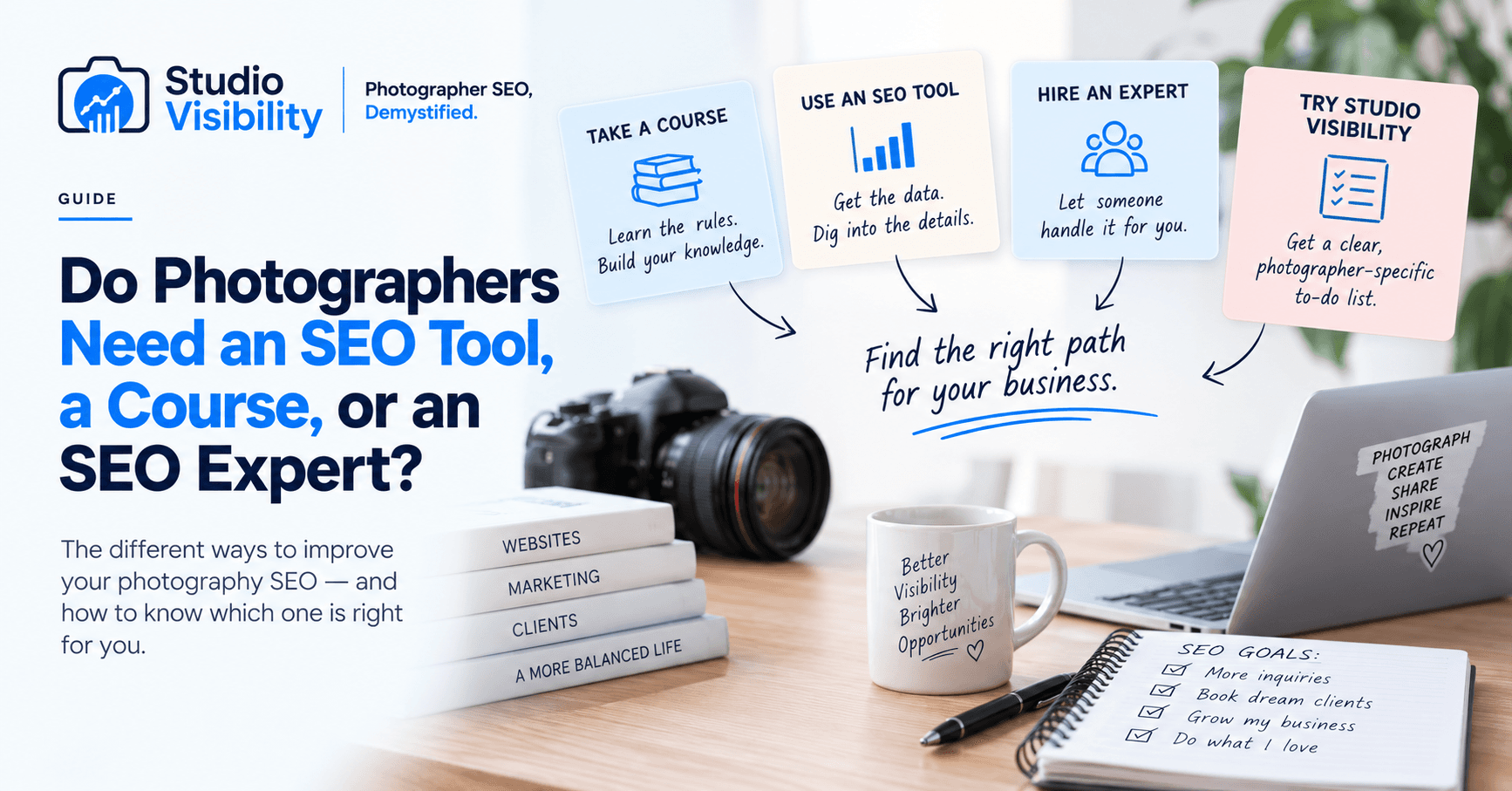
In short: take a course if you want to learn SEO. Use a professional SEO platform if you want to analyze the data yourself. Hire a professional if you want someone to develop and execute a strategy for you. Try a tool built for photographers if what you mostly want is an answer to “what's wrong, why it matters, and what should I do next.”
These aren't mutually exclusive
Worth saying plainly: you don't have to pick exactly one of these forever. A tool like Studio Visibility can help someone taking an SEO course apply what they're learning to their actual website. It can help someone working with an SEO professional understand whether things are actually improving between reports. And a photographer who starts out handling everything herself may eventually decide it's time to hire someone for the parts she'd rather hand off.
The real question isn't “what's the best way to do SEO?” It's “how much of SEO do you actually want to become your job?” For most photographers, the honest answer is: not very much. That's a reasonable thing to want. You got into photography to make photographs and build a business, not to spend your evenings decoding another dashboard — and depending on how much of the work you want to do yourself versus hand off, any of the four paths above can be the right one.
See where your own site stands.
Studio Visibility runs a free Visibility Snapshot — a full site crawl, your Site Health score, and a plain-English list of what to fix. No credit card.
Get My Free Visibility Snapshot